Difference between revisions of "Main Page"
Andrew Veit (Talk | contribs) |
Andrew Veit (Talk | contribs) |
||
| (4 intermediate revisions by the same user not shown) | |||
| Line 8: | Line 8: | ||
The miniSim™ team is committed to ensuring that all of our users have a high level of support. If there is any subject matter you can not find here, please, let us know and we will work to help you. | The miniSim™ team is committed to ensuring that all of our users have a high level of support. If there is any subject matter you can not find here, please, let us know and we will work to help you. | ||
| − | + | == <span class="glyphicon glyphicon-question-sign" aria-hidden="true"></span> Frequently Asked Questions == | |
| − | + | ||
[[FAQ|Frequently Asked Questions]]<br> | [[FAQ|Frequently Asked Questions]]<br> | ||
Answers to commonly asked miniSim questions<br> | Answers to commonly asked miniSim questions<br> | ||
| − | == <span class="glyphicon glyphicon- | + | == <span class="glyphicon glyphicon-film" aria-hidden="true"></span> Video Library == |
| + | |||
| + | [https://www.nads-sc.uiowa.edu/minisim/wiki/index.php?title=NADS_MiniSim%E2%84%A2_Video_Training_and_Knowledge_Library Video Training and Knowledge Library]<br> | ||
| + | Follow this link to access the miniSim Video Library. | ||
| + | |||
| + | == <span class="glyphicon glyphicon-link" aria-hidden="true"></span> Online Manuals == | ||
* [[Table of contents|miniSim User's Guide]] | * [[Table of contents|miniSim User's Guide]] | ||
| Line 27: | Line 31: | ||
* [[TMT_Troubleshooting_Guide (all versions)|TMT Troubleshooting]] | * [[TMT_Troubleshooting_Guide (all versions)|TMT Troubleshooting]] | ||
* [[Tile Model Integrator Tool| Tile Model Integrator Tool Resources]] | * [[Tile Model Integrator Tool| Tile Model Integrator Tool Resources]] | ||
| + | |||
| + | == <span class="glyphicon glyphicon-duplicate" aria-hidden="true"></span> Documents == | ||
| + | |||
| + | *[https://www.nads-sc.uiowa.edu/minisim/wiki/index.php?title=File:MiniSim-Dimensions-Power.pdf miniSim Dimensions and Power Requirements] | ||
| + | |||
| + | *[https://www.nads-sc.uiowa.edu/minisim/wiki/index.php?title=File:miniSim_Network_Software.pdf miniSim Network Requirements and Security] | ||
| + | |||
| + | *[https://www.nads-sc.uiowa.edu/userweb/veit/NADSMiniSim_TechnicalDescription.pdf Technical Description] | ||
| + | |||
| + | *[https://www.nads-sc.uiowa.edu/userweb/veit/miniSim-Program.pdf miniSim Program Overview (slides)] | ||
| + | |||
| + | *[https://www.nads-sc.uiowa.edu/userweb/veit/miniSim-Examples.pdf miniSim Examples (slides)] | ||
== <span class="glyphicon glyphicon-floppy-save" aria-hidden="true"></span> Downloads == | == <span class="glyphicon glyphicon-floppy-save" aria-hidden="true"></span> Downloads == | ||
| Line 37: | Line 53: | ||
* [https://www.nads-sc.uiowa.edu/minisim/wiki/index.php?title=How-to_TeamViewer How to use TeamViewer] | * [https://www.nads-sc.uiowa.edu/minisim/wiki/index.php?title=How-to_TeamViewer How to use TeamViewer] | ||
| − | |||
*[[Keylok - Software Control]]<br> | *[[Keylok - Software Control]]<br> | ||
Latest revision as of 16:37, 17 December 2025
Support
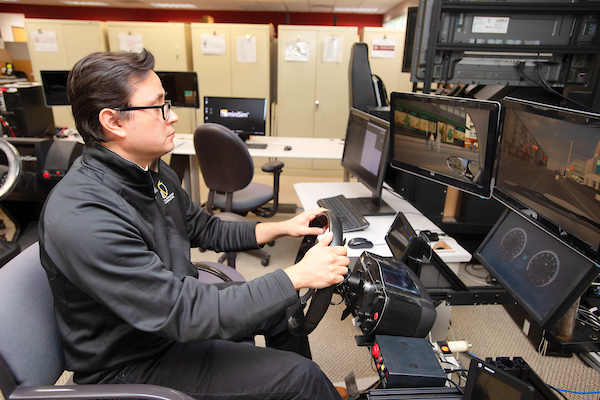
The miniSim™ team is committed to ensuring that all of our users have a high level of support. If there is any subject matter you can not find here, please, let us know and we will work to help you.
Frequently Asked Questions
Frequently Asked Questions
Answers to commonly asked miniSim questions
Video Library
Video Training and Knowledge Library
Follow this link to access the miniSim Video Library.
Online Manuals
- miniSim User's Guide
- ISAT_Quick Start
- ISAT_User_Guide
- ISAT_Demonstration_Scenarios
- ISAT Reference_Manual
- ISAT & Scenario Troubleshooting
- TMT User Guide (up to version 1.8)
- TMT User Guide_1.8
- Road Surfaces
- TMT Troubleshooting
- Tile Model Integrator Tool Resources
Documents
Downloads
This tool allows our support engineers to temporarily access your miniSim PC through TeamViewer to help diagnose and resolve issues. Only run it when you need remote support. It does not allow unattended or ongoing access.
This installer sets up the TeamViewer Host for miniSim. Install it if you want to allow our support engineers to access your miniSim PC at any time, even when you’re not present. As with the QuickSupport app, only authorized members of our support team can connect to your system.
What is a miniSim "Keylok" and what does it do?
Download this file to your miniSim PC to determine your Keylok serial number.
Download this file to your miniSim PC to determine your Keylok expiration date.